
A project has two panels. On a narrow screen a switcher shows one at a time.
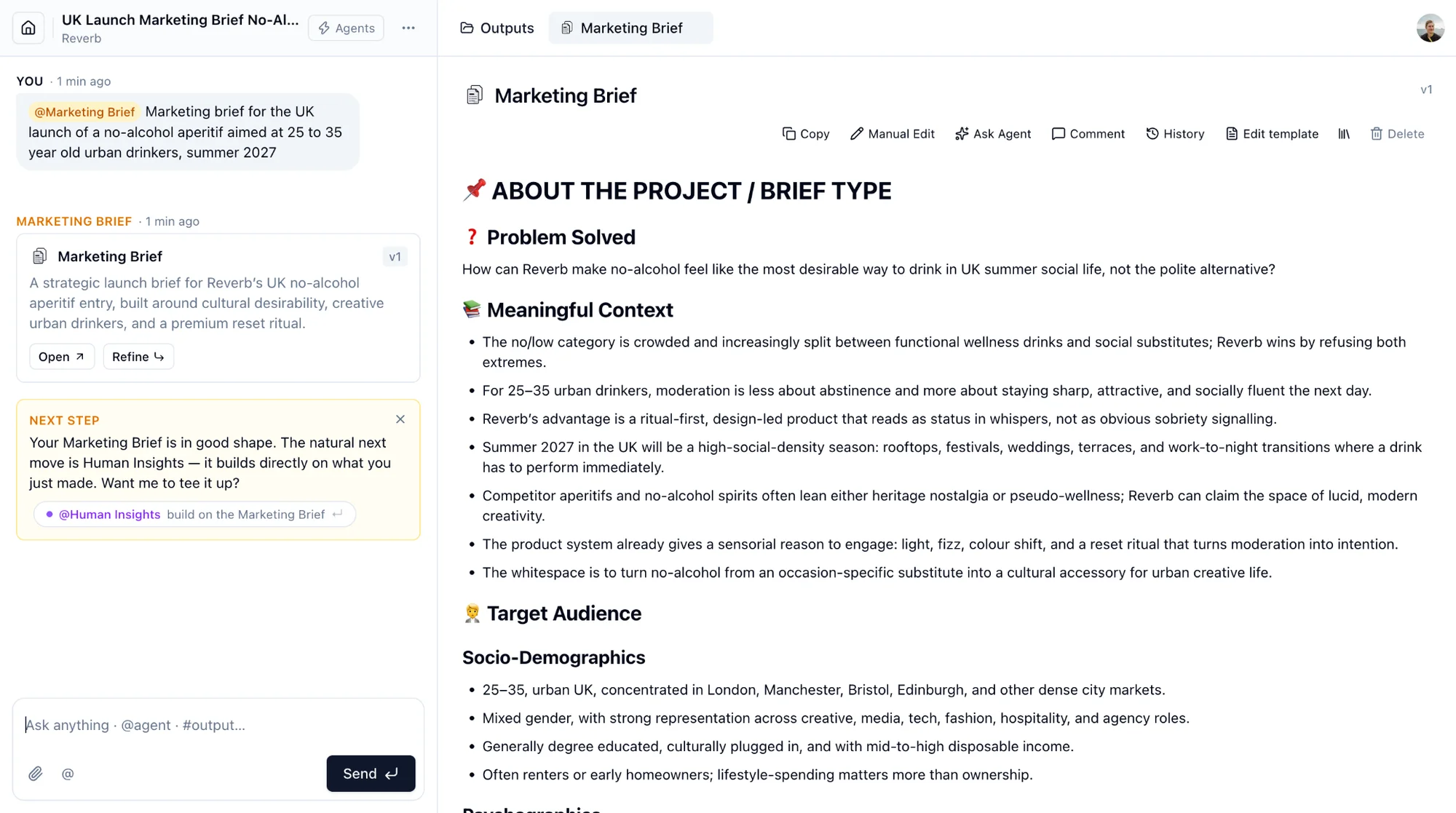
Chat, on the left. Your messages and the agents' replies. Each reply is labelled with the agent that wrote it. A reply that produced an output shows a card with Open and a follow-up button: Refine for documents, Explore more for explorations, Follow up for Data and Insights answers.
Outputs, on the right. The Outputs tab lists everything the project produced, grouped by type, with a search and a type filter. Every output you open gets its own tab. Tabs are remembered per person.
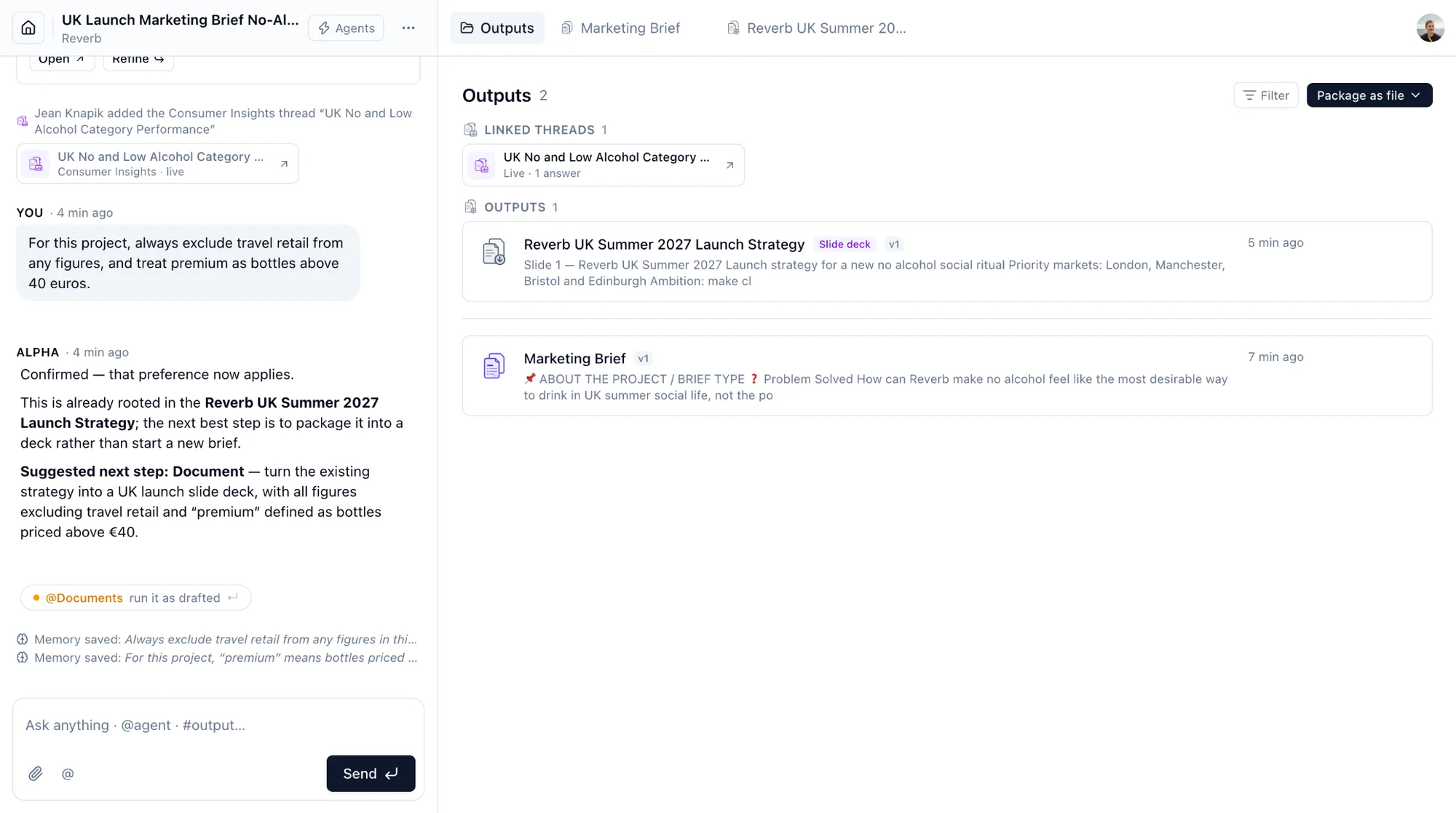
Package as file lives at the top of the Outputs panel.
Deleting an output removes it from the project. This cannot be undone.