
Workspace settings → Library → Insights files is the workspace knowledge base: the documents Consumer Insights and @Insights search.
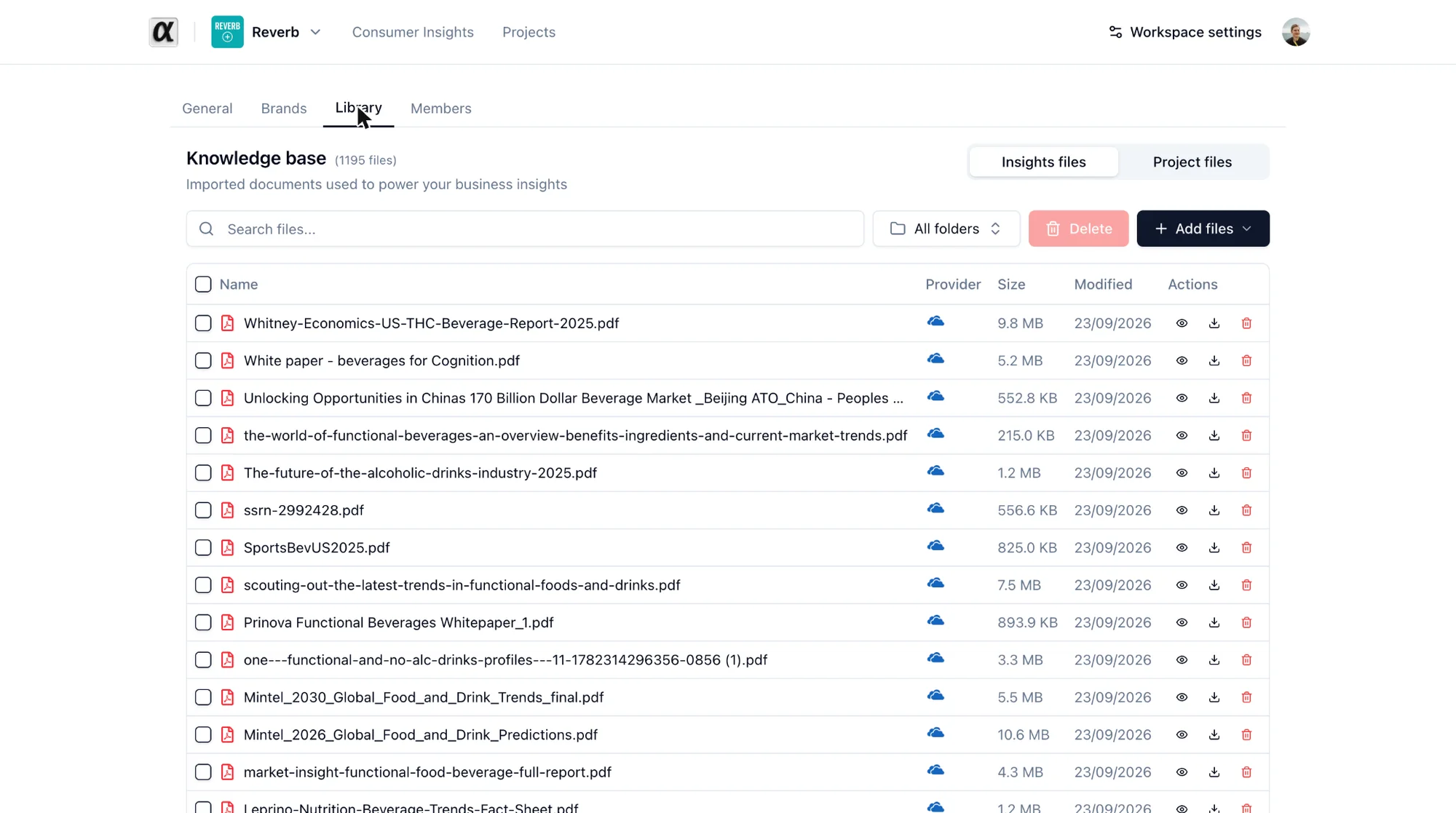
Put here anything you want cited: consumer and market studies, trend reports, competitive scans, learning decks, trackers. Keep it current: remove superseded versions so answers do not cite them.
Add files offers three ways in:
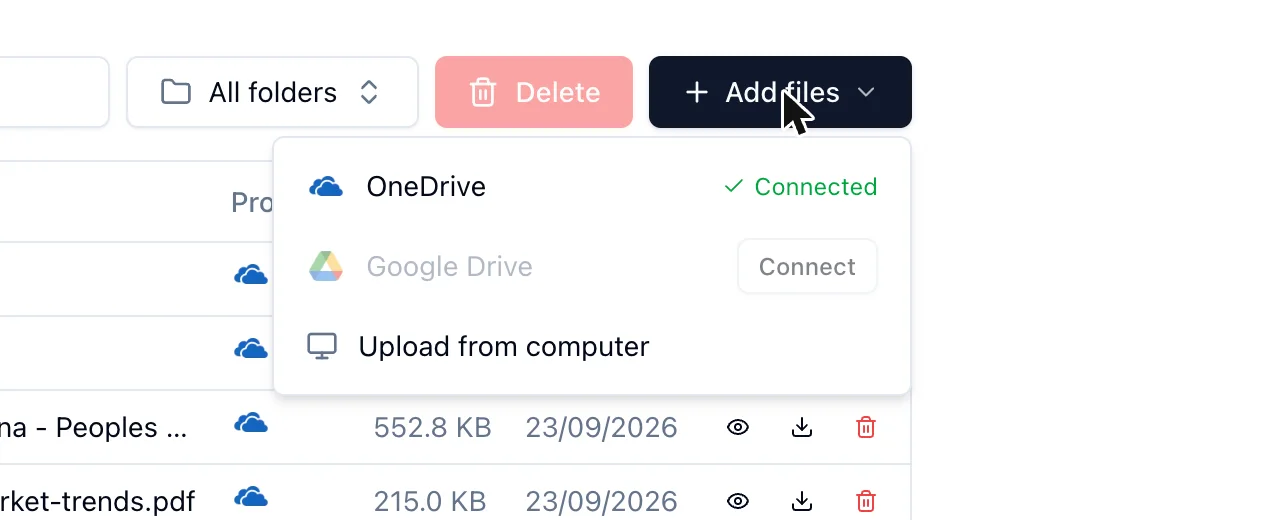
- Upload from computer: PDF and Word files up to 200 MB each.
- OneDrive and Google Drive: browse a connected drive and add files or whole folders.
Each file goes through text extraction and indexing. Its row shows Processing, then the file is searchable. A Failed import offers Retry import.
The table can be searched by name and filtered by folder of origin. Select rows to Delete them. Deleting stops alphabrand from using a file; files that came from a drive stay in the drive, manual uploads are not kept anywhere else.