
Every answer has an Overall tab and one tab per source.
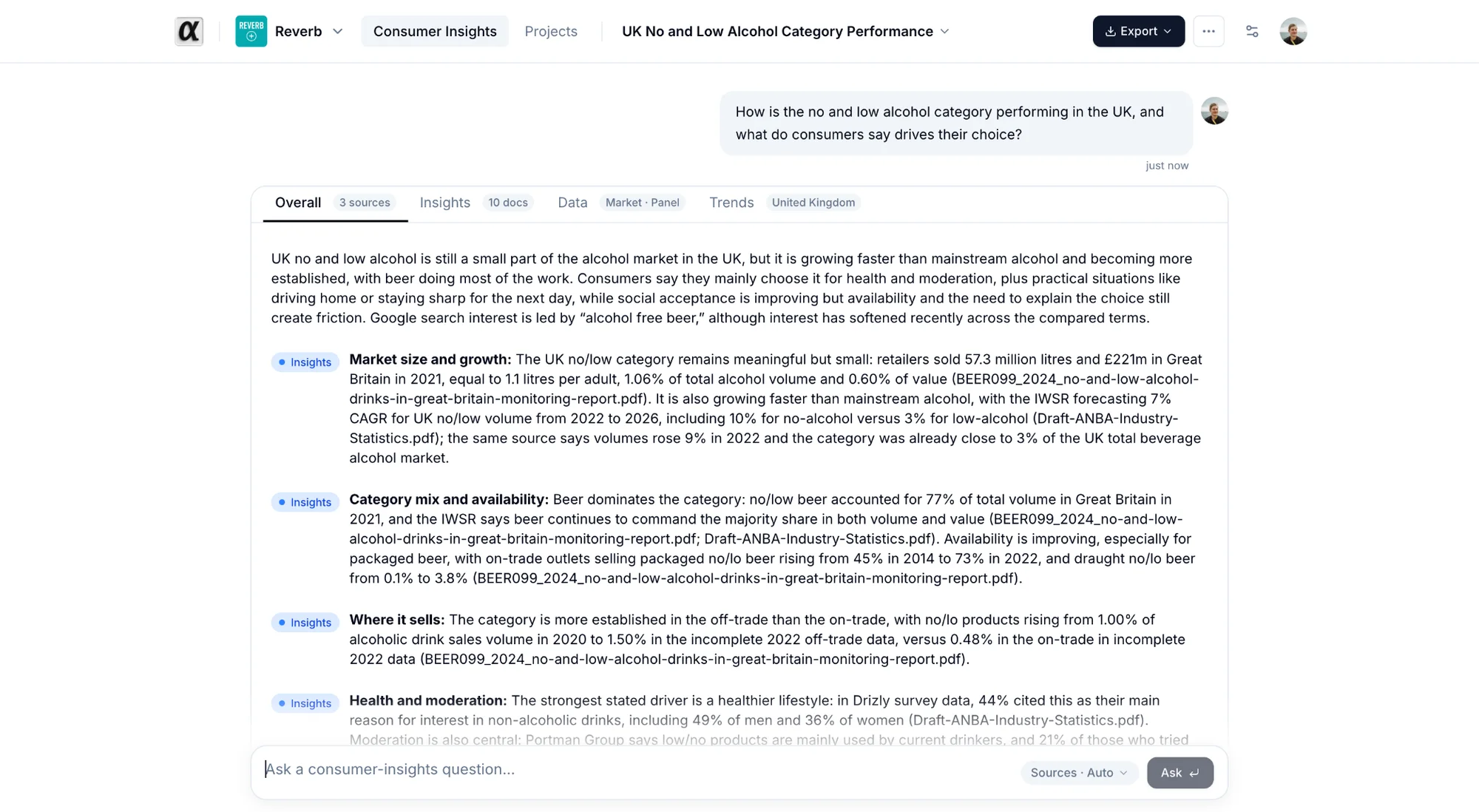
Overall. A short lead, then the claims. Each claim carries a pill naming its source: Insights, Data, or the dataset name. Click a pill to jump to that source's tab. At the bottom, What each source found lists one line per source: "Answered · 12 documents", "Nothing relevant found", or why it was skipped.
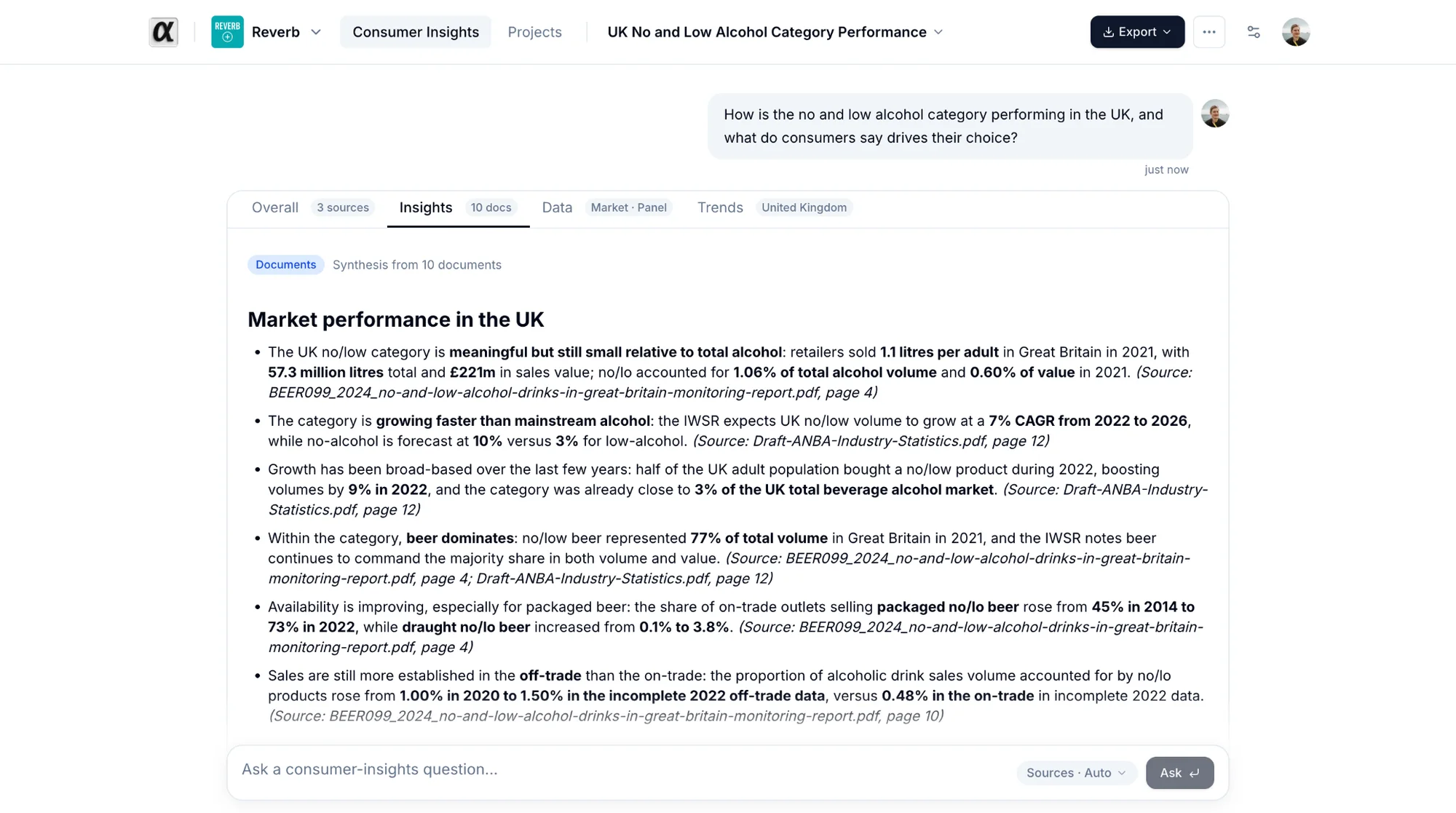
Insights tab. The synthesis from your documents with numbered citations. Sources lists the files and pages. Click one to open the document at that page.
Data tab. Figures with charts and tables. Open the reasoning row to see how the question was understood, which dataset was chosen and the SQL that ran. Not covered flags anything the dataset does not contain, for example a market it lacks.
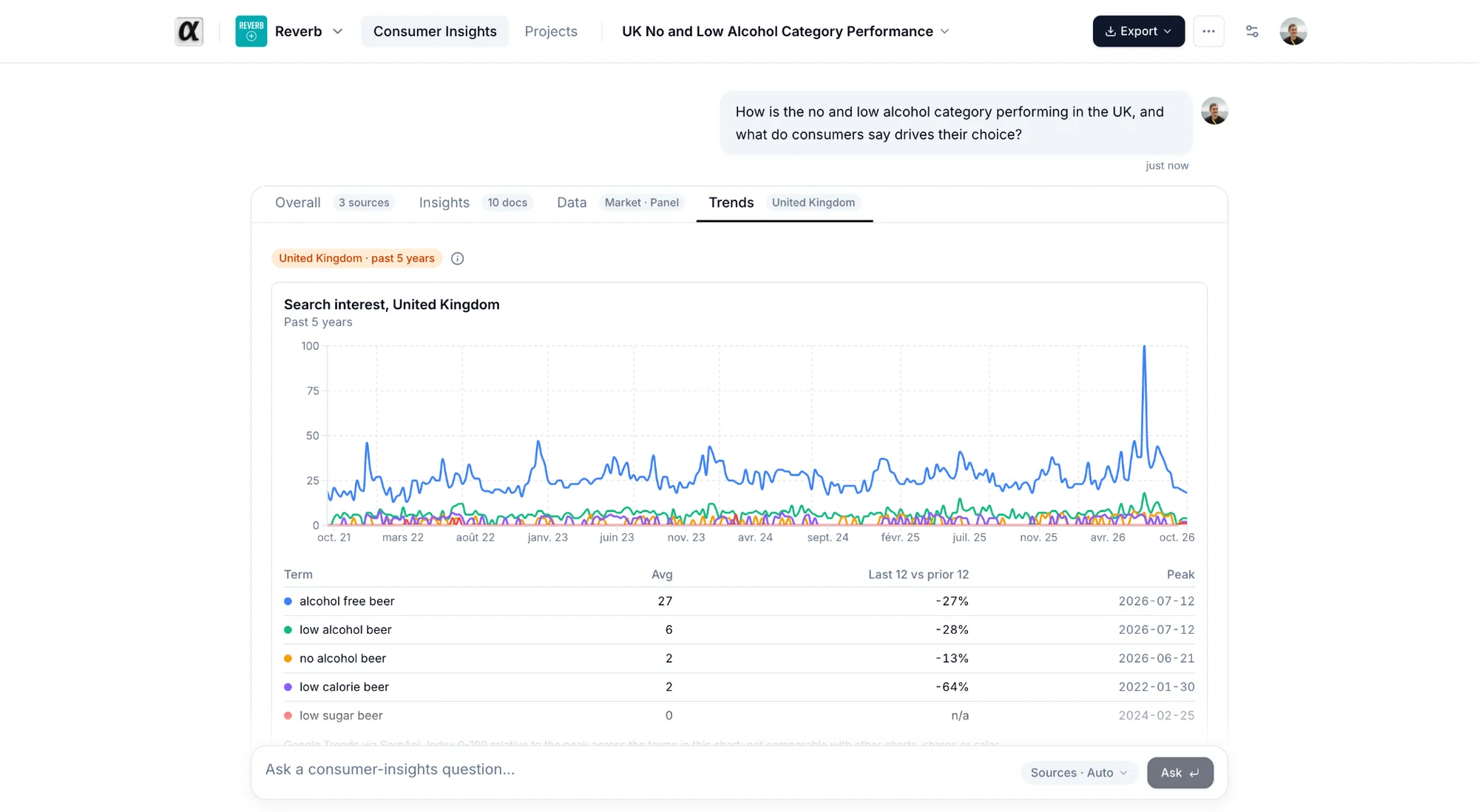
Trends tab. One search-interest chart per market and a table of terms. Values are an index from 0 to 100 relative to the peak in that chart. They are not comparable with sales or shares.
When a source was skipped or failed. A banner explains why. Run Data anyway or Retry this source updates the same answer in place.
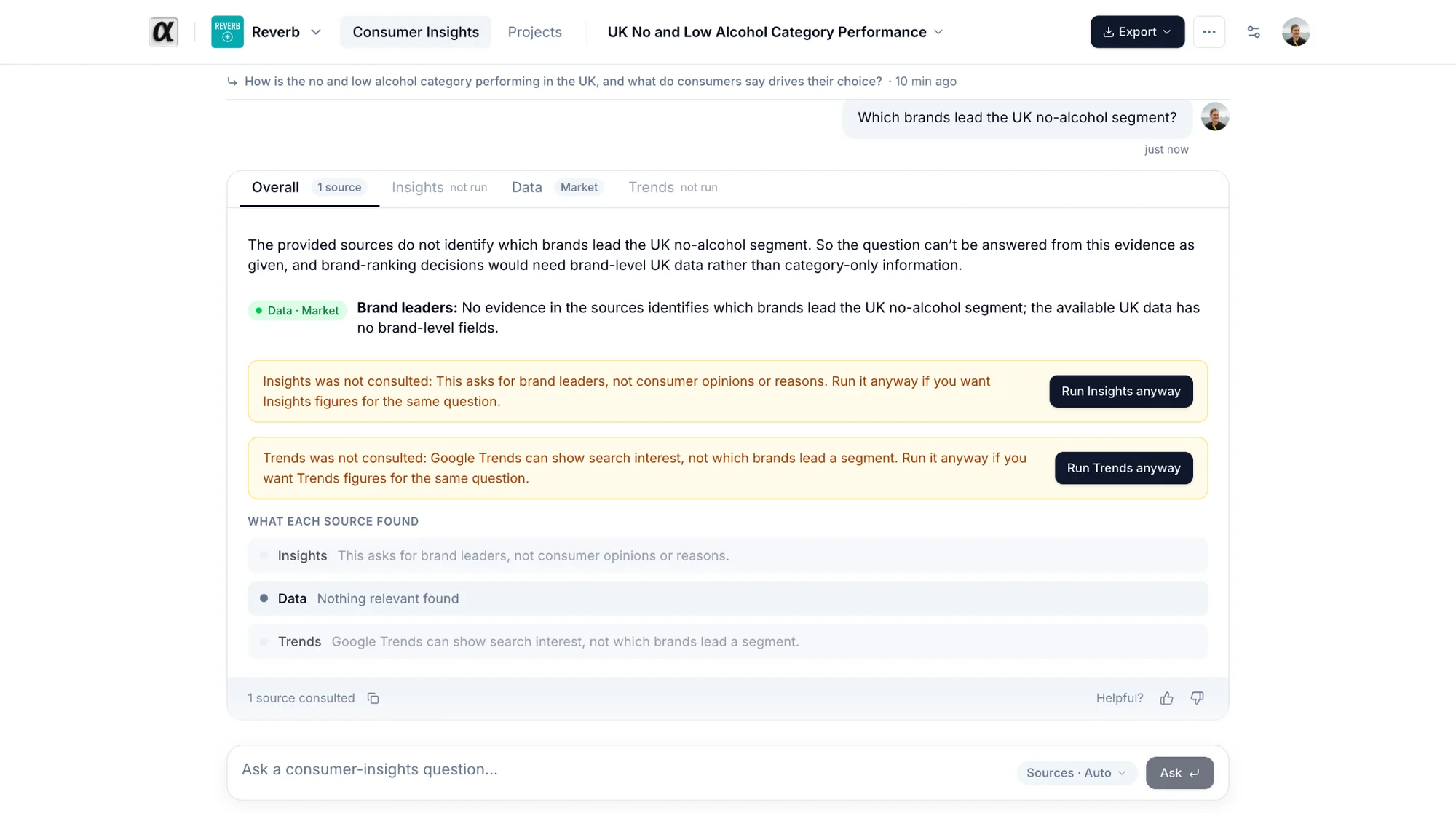
Helpful? Use the thumbs at the bottom of each answer. Your feedback goes to the alphabrand team.