
Consumer Insights is the default page of your workspace. It answers one question by consulting up to three sources at once and merging what they found into one answer.
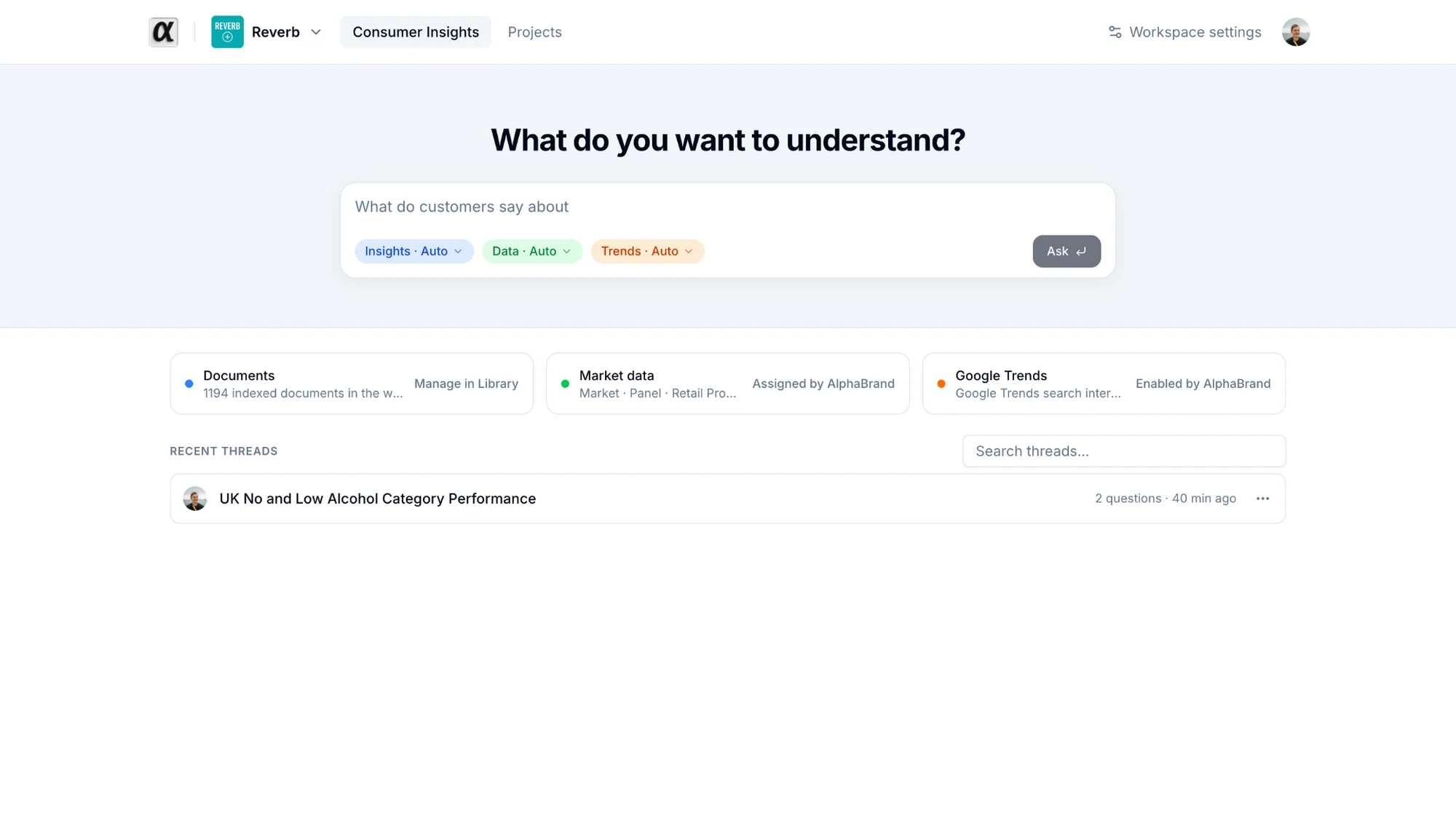
Sources
| Source | What it reads | Who makes it available |
|---|---|---|
| Documents | The Insights files of your Library | Anyone: add files in the Library |
| Market data | The datasets assigned to your workspace | alphabrand, on request |
| Google Trends | Search interest by market, up to 2 markets and 5 terms per question | alphabrand, on request |
The source cards above the composer tell you which ones are available. A dimmed card shows the reason.
Asking
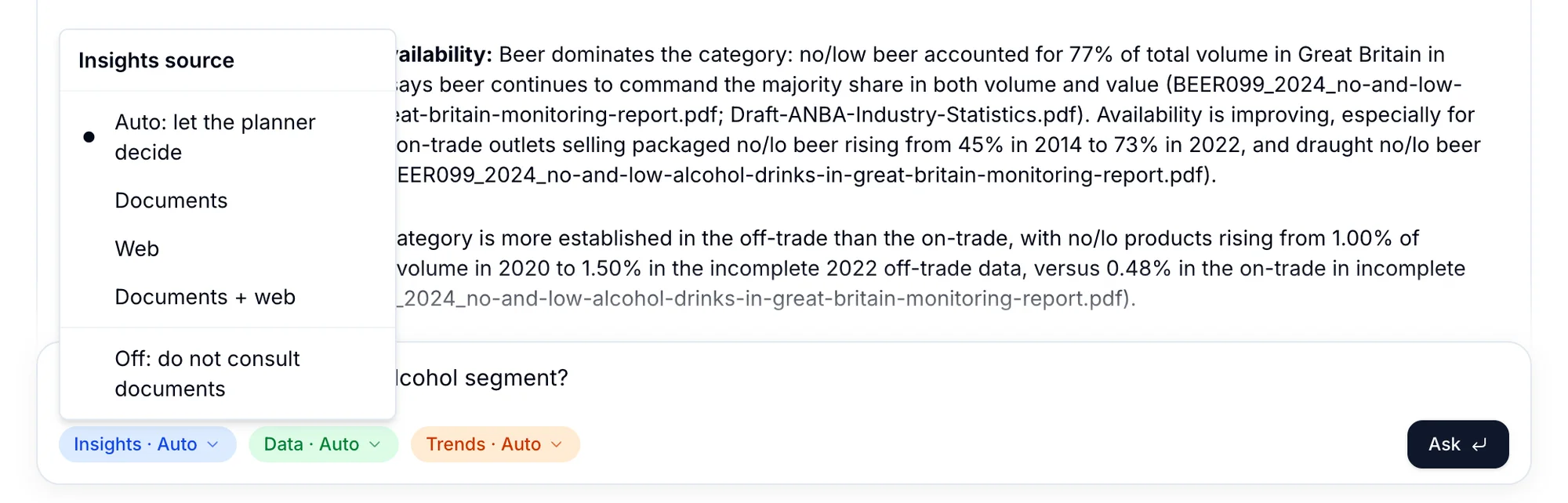
- Type your question. Include the market, the category and the period: "How is our premium gin range selling in France since January, and what do consumers say about it?".
- Optionally pin or turn off a source with the chips under the composer. Auto lets alphabrand decide which sources are relevant. Pinned always runs. Off never runs for this question.
- Press Enter. The first question creates a thread and opens it.
One question runs at a time per thread. The composer shows Waiting for the current answer… until it finishes. You can leave the page: the answer keeps running and is there when you come back.
Good questions
- Scope them: market, category, brand, period.
- Say what you want to decide: "so we can choose between X and Y".
- Ask one thing at a time. Split "tell me everything about aperitifs" into two or three questions.
- Follow up in the same thread for depth. Start a new thread when the topic changes.